Get full access to premium PowerPoint templates at a limited-time price.Get Now
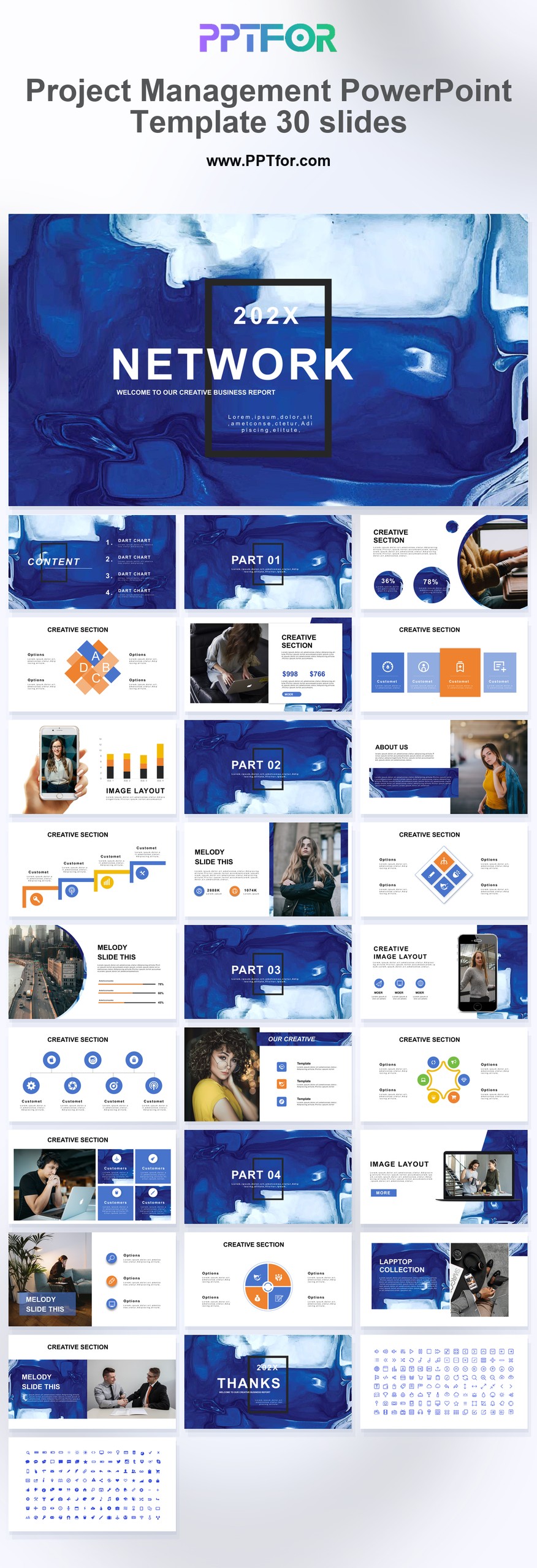
The Project Management PowerPoint Template provides 30 slides for project planning and status reporting. Adapt the presentation to show current progress, approaching milestones, unresolved risks, and the support required from stakeholders.
Edit the text, colors, and slide elements to match your presentation. Before updating a graphic, check whether it is a native chart, a grouped shape, or an image; the editing method differs.
Use PowerPoint for the PPTX workflow. If you import the file into Google Slides or Keynote, review fonts, chart labels, image crops, and spacing before presenting. Imported layouts may need adjustment.
Choose this deck for a project review that must end with decisions or assigned actions. Keep the main update focused on exceptions and changes; place the full task list in supporting material.
Prepare milestone dates, owners, current status, dependencies, and the top risks. For each escalation, state the decision needed, its deadline, and the consequence of leaving it unresolved.

Get full access to our entire collection of premium PPT templates for one simple price.
Forget about complex tools or technical skills—just choose, edit, and download.