Get full access to premium PowerPoint templates at a limited-time price.Get Now
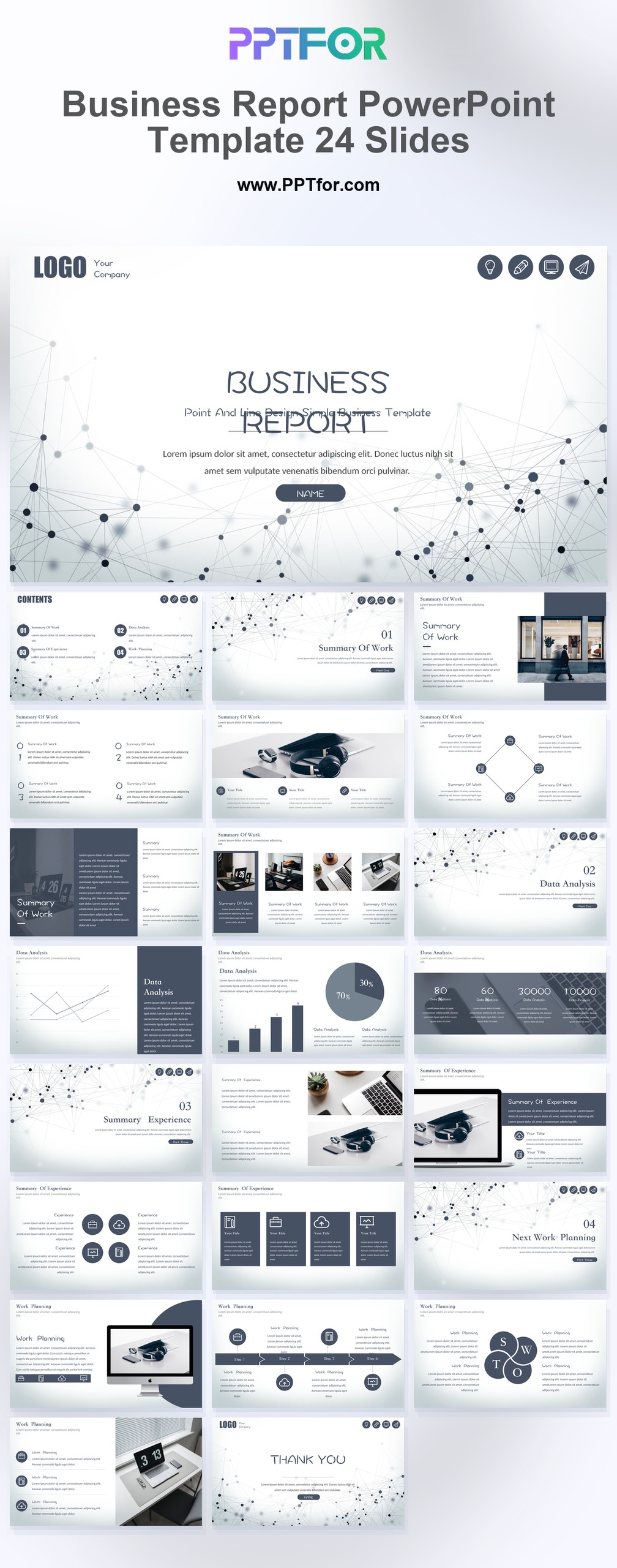
The Business Report PowerPoint Template gives analysts, consultants, marketing teams, and business leaders a clean modern deck for presenting market analysis with structure and restraint. Its gray and white palette supports neutrality, corporate clarity, and focused reporting, while the business analysis, data analysis, data visualization, business chart, and infographic layouts help organize key metrics, trend analysis, data-driven insights, and performance indicators. The 24-slide format is practical for concise client reports, internal updates, executive summaries, and recurring market reviews. Built for Microsoft PowerPoint, Google Slides, and Apple Keynote, this template includes fully customizable slides, vector graphics, and drag-and-drop placeholders so teams can adjust content, colors, and branding quickly. Download it to turn market findings into a clearer business report presentation.
It is best used for market analysis, business reporting, data visualization, and chart-based presentations where teams need to explain findings, compare trends, and summarize recommendations in a 24-slide deck.
Analysts, consultants, marketers, strategy teams, and business managers can use it when they need to present market findings, business charts, and data-driven insights in a more organized reporting format.
The template supports business analysis, data analysis, data visualization, business chart, and infographic-style report layouts, giving users a practical structure for findings, comparisons, summaries, and recommendations.
Yes. The deck includes fully customizable slides, vector graphics, and drag-and-drop placeholders, so you can edit text, colors, charts, images, and branding in PowerPoint, Google Slides, or Keynote.

Get full access to our entire collection of premium PPT templates for one simple price.
Forget about complex tools or technical skills—just choose, edit, and download.