Get full access to premium PowerPoint templates at a limited-time price.Get Now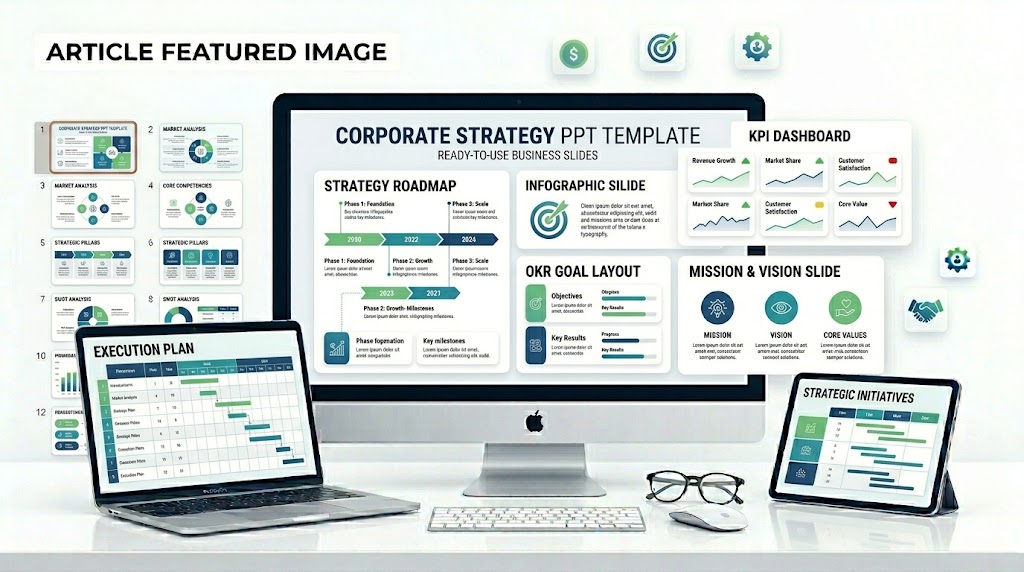
A corporate strategy PowerPoint template is an editable presentation deck used to explain business goals, strategic priorities, market direction, execution plans, KPIs, and long-term growth initiatives. It helps leadership teams turn strategy into clear slides for executives, board members, investors, managers, and internal teams.
The best corporate strategy templates do more than look professional. They help the audience understand where the company is going, why that direction matters, how the plan will be executed, and how success will be measured.
If you need a ready-made Corporate Strategy PowerPoint Template, choose an editable PPTX deck with strategy roadmap slides, mission and vision layouts, business goals, market analysis, strategic priorities, OKR and KPI dashboards, initiative tracking, and execution plan pages. A good strategy template should work for executive meetings, annual planning, board updates, leadership workshops, and business transformation presentations.
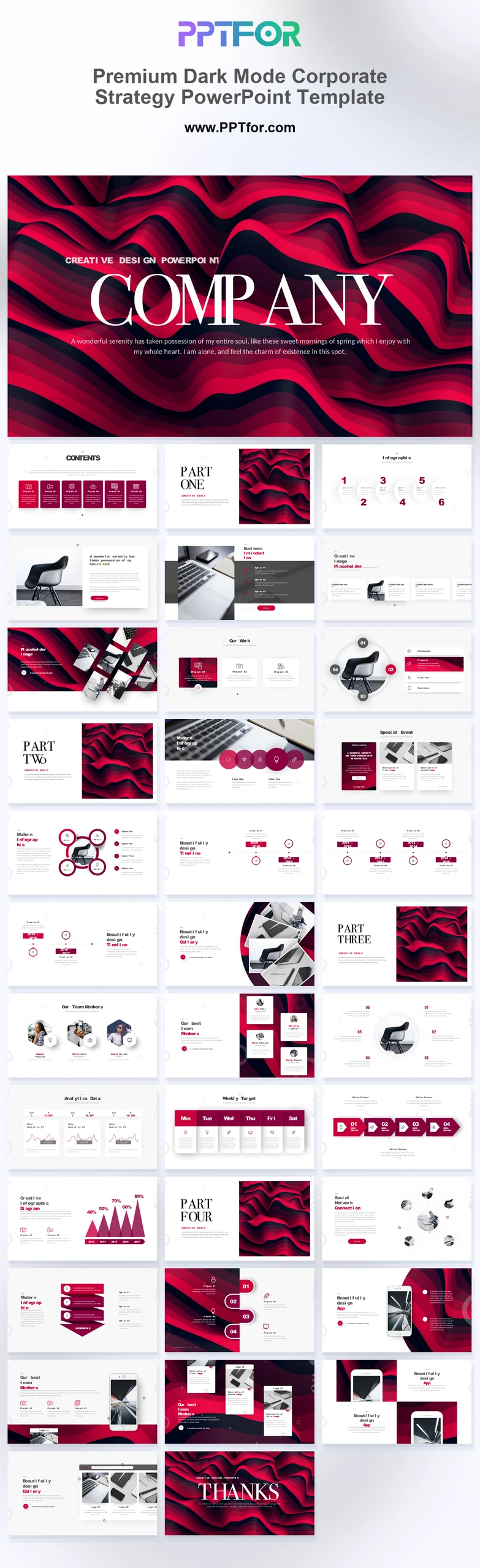
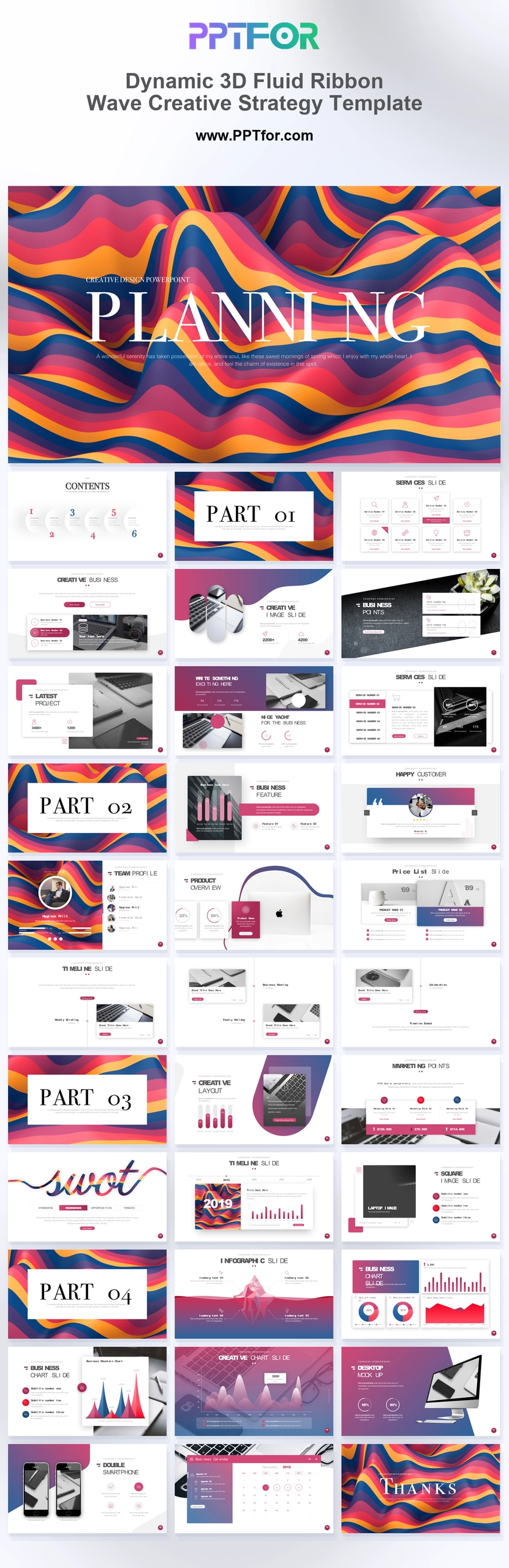
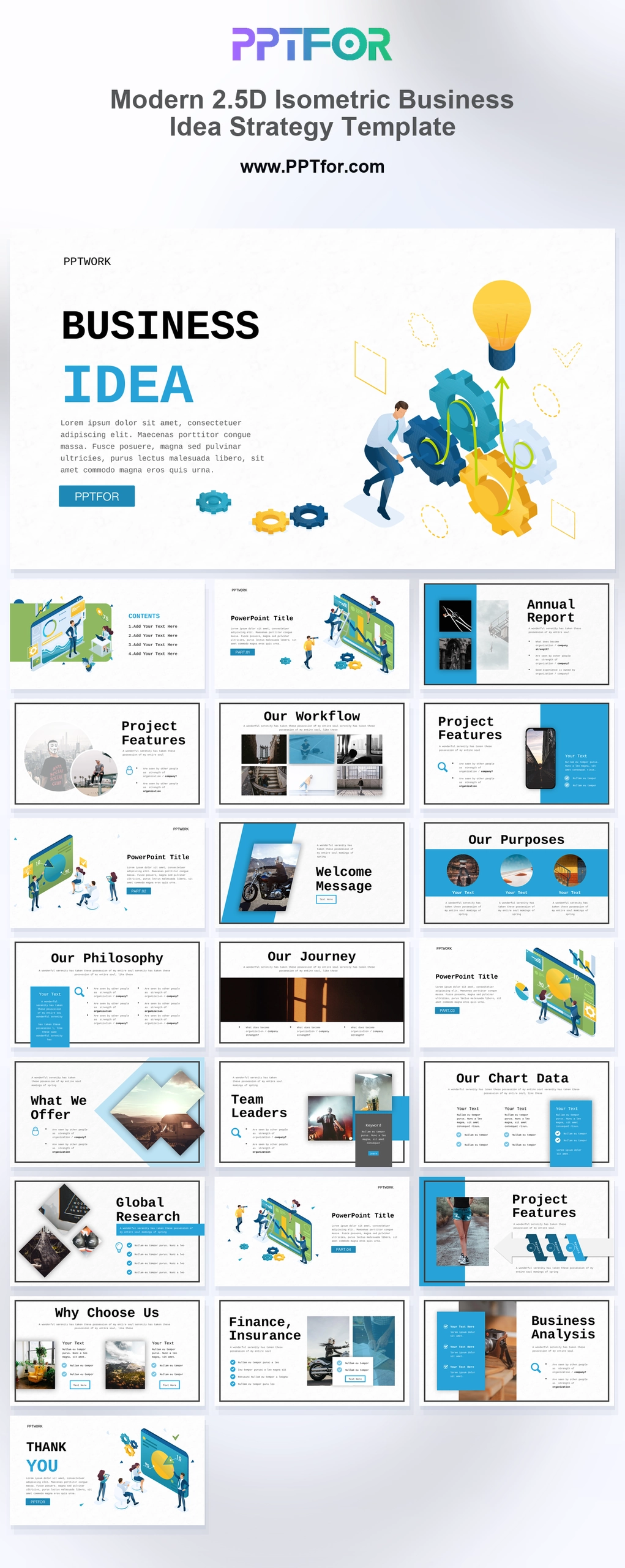
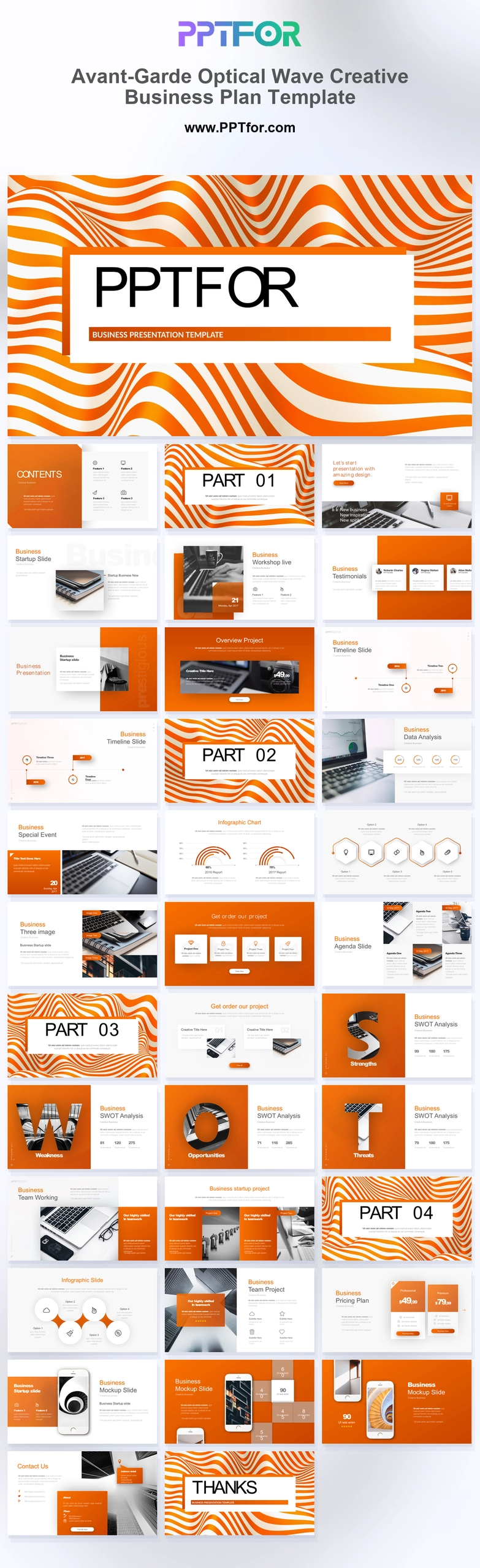
You can browse the full Business & Corporate PowerPoint Templates collection, or start with templates such as Premium Dark Mode Corporate Strategy PowerPoint Template, Dynamic 3D Fluid Ribbon Wave Creative Strategy Template, Modern 2.5D Isometric Business Idea Strategy Template, and Avant-Garde Optical Wave Creative Business Plan Template.
A strong corporate strategy PowerPoint template should include an executive summary, mission and vision, business goals, market analysis, strategic priorities, SWOT or competitive analysis, strategy roadmap, OKRs, KPI dashboard, initiative plan, risks, and next steps. For leadership audiences, the deck should connect strategy with execution and measurable outcomes.
| Slide | Purpose | Best For |
|---|---|---|
| Executive Summary | Summarizes the strategic direction and key decisions | Executives, board members, investors |
| Mission and Vision | Explains purpose, direction, and long-term ambition | Annual planning and leadership alignment |
| Market Analysis | Shows market trends, customer needs, competitors, and opportunities | Strategy workshops and growth planning |
| Strategic Priorities | Defines the few focus areas that matter most | Leadership updates and team alignment |
| Strategy Roadmap | Shows timing, milestones, initiatives, and dependencies | Execution planning and stakeholder updates |
| OKR and KPI Dashboard | Connects goals with measurable outcomes | Performance tracking and executive reporting |
| Execution Plan | Assigns initiatives, owners, timelines, and next steps | Strategy rollout and accountability |
A corporate strategy PowerPoint template is a pre-designed PPT or PPTX file for presenting a company’s strategic direction. It usually includes editable layouts for business goals, market analysis, growth strategy, strategic initiatives, roadmap planning, KPI tracking, risk assessment, and implementation plans.
Companies use corporate strategy templates for annual planning, board meetings, leadership offsites, investor updates, transformation programs, market expansion plans, product strategy discussions, and department alignment sessions.
The purpose of a corporate strategy presentation is to make strategic decisions clear. It should explain what the company will focus on, what trade-offs it is making, and how progress will be measured.
Corporate strategy templates, strategic plan templates, and business strategy templates are closely related, but they are not identical. The right choice depends on whether the deck is about company-level direction, execution planning, or competitive positioning.
| Template Type | Main Focus | Typical Audience |
|---|---|---|
| Corporate Strategy PowerPoint Template | Company-level direction, growth priorities, strategic initiatives, execution plan | Executives, board members, leadership teams |
| Strategic Plan PowerPoint Template | Goals, priorities, timelines, ownership, milestones, and progress tracking | Leadership teams, managers, planning teams |
| Business Strategy PowerPoint Template | Competitive position, business model, market opportunity, and growth choices | Strategy teams, consultants, founders, executives |
| Strategy Roadmap PowerPoint Template | Timeline, initiatives, phases, milestones, and dependencies | Project leaders, executives, transformation teams |
| OKR KPI Strategy Deck | Objectives, key results, metrics, targets, and accountability | Leadership teams, department heads, operations teams |
| Business Plan PowerPoint Template | Business model, market, financials, operations, and growth plan | Founders, investors, business owners, partners |
Use a corporate strategy template when the audience needs to understand the company’s direction and strategic priorities. Use a strategic plan template when the main goal is execution. Use a business strategy template when the main focus is competitive advantage and growth choices.
Use this step-by-step process to turn a corporate strategy PPT template into a clear strategic planning presentation. The goal is to connect vision with execution.
If you are building a corporate strategy presentation from scratch, use this structure as a practical starting point:
A good corporate strategy PowerPoint template should be structured, editable, and easy to present. It should help leaders explain strategy clearly without making the deck feel like a collection of disconnected ideas.
The right corporate strategy template depends on the type of strategy conversation you need to support. A board strategy update, annual planning deck, transformation roadmap, and business plan should not use the same structure.
| Use Case | Best Template Style | Helpful PPTFOR Template |
|---|---|---|
| Corporate strategy presentation | Executive strategy deck with priorities, roadmap, and KPI sections | Premium Dark Mode Corporate Strategy PowerPoint Template |
| Creative strategy and transformation | Visual strategy deck with modern section slides and big-picture planning | Dynamic 3D Fluid Ribbon Wave Creative Strategy Template |
| Business idea and innovation strategy | Concept-focused strategy template with idea, process, and execution visuals | Modern 2.5D Isometric Business Idea Strategy Template |
| Business plan and strategic planning | Business plan deck with strategy, market, goals, and growth sections | Avant-Garde Optical Wave Creative Business Plan Template |
The best corporate strategy deck depends on the business situation. A growth strategy, market entry strategy, transformation plan, and annual strategy update require different slides.
| Use Case | Important Slides | Main Goal |
|---|---|---|
| Annual Strategy Plan | Vision, strategic priorities, roadmap, OKRs, budget, milestones | Align leadership and teams for the year ahead |
| Growth Strategy | Market opportunity, customer segments, growth levers, revenue targets | Explain how the company will expand |
| Market Entry Strategy | Market sizing, competitor analysis, entry options, risks, launch roadmap | Choose how to enter a new market |
| Digital Transformation Strategy | Current state, future state, capability gaps, roadmap, change plan | Explain transformation priorities and execution |
| Board Strategy Update | Executive summary, strategic progress, KPI dashboard, risks, decisions needed | Help board members review progress and approve decisions |
| Department Strategy | Team goals, initiatives, resources, dependencies, performance metrics | Translate company strategy into department execution |
A corporate strategy presentation often becomes clearer when it uses familiar strategy frameworks. The framework should support the decision, not decorate the slide.
| Framework | Best Use | How It Helps |
|---|---|---|
| SWOT Analysis | Internal and external strategy review | Summarizes strengths, weaknesses, opportunities, and threats |
| PESTLE Analysis | Market and macro-environment review | Shows political, economic, social, technological, legal, and environmental factors |
| OKRs | Goal setting and execution tracking | Connects objectives with measurable key results |
| KPI Dashboard | Performance measurement | Shows whether strategic initiatives are producing results |
| Strategy Roadmap | Implementation planning | Maps initiatives, milestones, owners, and timing |
| Balanced Scorecard | Multi-perspective performance management | Connects financial, customer, process, and learning goals |
A PowerPoint strategy deck is best for communicating strategic direction in a meeting. Word documents, spreadsheets, and planning tools can support the strategy work, but they usually serve a different purpose.
| Format | Best Use | Limitation |
|---|---|---|
| PowerPoint Strategy Deck | Executive presentations, board updates, leadership alignment, strategy workshops | Not ideal for detailed financial modeling |
| Word Strategic Plan | Long-form documentation, policy detail, written planning records | Harder to present visually in meetings |
| Excel Planning Model | Financial assumptions, scenario planning, budget calculations | Can be hard for non-technical audiences to scan |
| Project or OKR Tool | Ongoing execution tracking, ownership, and progress updates | Usually needs summarizing for leadership presentations |
Many teams build the strategy in documents and spreadsheets first, then use PowerPoint to communicate the final direction, roadmap, and decision points.
Many corporate strategy presentations fail because they are too abstract. A strong strategy deck should make choices clear and show how the plan will be executed.
If you want to improve your corporate strategy and planning slides, these PPTFOR guides can help:
A corporate strategy PowerPoint template is an editable presentation deck used to explain business goals, strategic priorities, market direction, execution plans, KPIs, risks, and long-term growth initiatives.
A corporate strategy presentation should include an executive summary, mission and vision, current state, market analysis, strategic priorities, roadmap, OKRs, KPI dashboard, risks, and execution plan.
Corporate strategy defines the company’s direction and major choices. Strategic planning turns that direction into goals, initiatives, timelines, owners, resources, and measurable outcomes.
Yes. A corporate strategy template can be used for board meetings if it includes strategic priorities, market context, KPI progress, major risks, decisions needed, and an execution roadmap.
Common strategy frameworks include SWOT analysis, PESTLE analysis, OKRs, KPI dashboards, strategy roadmaps, market analysis, competitive positioning, and balanced scorecards.
Yes. Many PPT and PPTX corporate strategy templates can be opened in Google Slides. Some fonts, animations, chart formatting, or advanced PowerPoint elements may need adjustment after import.
Most corporate strategy presentations work best with 15 to 30 slides. Executive summaries can be shorter, while full strategic planning decks may need more supporting analysis and appendix slides.
A Corporate Strategy PowerPoint Template helps leadership teams turn strategic thinking into a clear presentation. The best templates combine executive summaries, market analysis, mission and vision slides, strategic priorities, roadmaps, OKRs, KPI dashboards, risks, and execution plans in a format that is easy to edit and easy to present.
If your audience is senior leadership, focus on choices, trade-offs, priorities, and measurable outcomes. A strong strategy deck does not simply describe ambition. It shows what the company will do, how it will execute, and how progress will be measured.
Browse the complete strategy review PowerPoint template collection for editable SWOT, KPI, priority, roadmap, and action-plan layouts. Compare the Premium Corporate Strategy Template with the Modern Corporate Strategy Presentation.

Get full access to our entire collection of premium PPT templates for one simple price.
Forget about complex tools or technical skills—just choose, edit, and download.