Get full access to premium PowerPoint templates at a limited-time price.Get Now
A consulting presentation structure should move from the business question to a supported recommendation and implementation plan. Build the storyline before designing slides, use answer-first headlines, and make every page advance the argument. A polished template improves consistency, but it cannot replace a clear problem definition or defensible evidence.
Before creating slides, write:
This prevents a common failure: spending most of the deck on background and rushing the recommendation at the end.
State the recommended action, expected impact, major requirement, and immediate decision. Executives should understand the direction before reviewing the evidence.
Define the business context, scope, and agreed objective. Include the baseline and constraints that shape the analysis.
Explain what changed, why the current approach is insufficient, and what is at risk. Use data instead of generic urgency.
Break the problem into a small number of answerable questions. These become the logic of the analysis and presentation sections.
Present the evidence that directly answers each question. Distinguish observed facts, calculated results, assumptions, and management judgment.
Compare realistic alternatives using consistent criteria. Include the option of maintaining the current approach when it is a legitimate choice.
Explain why the preferred option best meets the criteria, what tradeoffs remain, and which assumptions could change the choice.
Show the expected benefits, costs, timing, capabilities, dependencies, and risks. Use ranges or scenarios when precision is not supported.
Translate the recommendation into phases, milestones, owners, decision gates, and measures. Avoid a roadmap made only of broad workstream labels.
Close with the exact approvals, owners, dates, and follow-up required. Do not end on a generic thank-you slide when the meeting has an action purpose.
Each headline should state the conclusion of the slide. Compare:
The chart, table, or diagram then provides the evidence. When the headlines are read in sequence, they should form a coherent summary of the entire deck.
Do not convert every bullet list into an infographic. The format should clarify the reasoning.
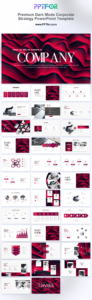
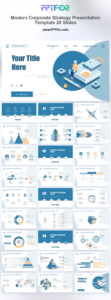
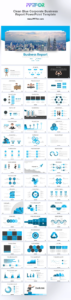
The Premium Dark Mode Corporate Strategy PowerPoint Template supports strategic recommendations and roadmaps. The Modern Corporate Strategy Presentation Template offers 28 strategy-focused layouts, while the Clean Blue Corporate Business Report PowerPoint Template suits evidence-led executive reporting.
Use one visual grammar across the deck: stable margins, consistent headline placement, restrained color, and repeatable chart treatment. Novelty on every slide makes analytical comparisons harder.
Starting in PowerPoint encourages local slide decisions before the overall argument is clear. Draft the storyline and evidence map first.
Topic labels force the audience to interpret every slide from scratch. Write the conclusion in the headline.
After each finding, explain why it matters to the decision. Evidence is not a recommendation until the implication is explicit.
A recommendation becomes more credible when the audience can see alternatives, criteria, risks, and assumptions.
Include implementation phases, owners, capabilities, measures, and decision gates. Otherwise, the deck describes an idea rather than an executable plan.
Print or list only the slide headlines and read them in order. The audience should be able to understand the question, findings, recommendation, impact, and next steps without opening the exhibits. Remove repeated claims and identify any conclusion that appears before its supporting logic.
Then ask a reviewer who was not involved in the analysis to challenge the assumptions and recommendation. Use that feedback to strengthen evidence and tradeoffs before polishing layouts. Late-stage visual editing is expensive when the underlying argument still changes.
For roadmap layouts, use the Corporate Strategy PowerPoint Template guide. For clearer data pages, read Analysis Report PPT: How to Present Data Clearly.
Use the number required to support the decision without repetition. A focused executive discussion may use 10 to 20 main slides with detailed analysis in appendices.
It states the recommendation or conclusion early, then provides the evidence and logic that support it. This is useful when the audience is time-constrained and decision-oriented.
No. Use the format that best communicates the evidence. Some slides need a table, process, comparison, concise text, or decision statement.
End with the requested decision, implementation actions, owners, and dates. A closing summary is useful only if it reinforces those next steps.
Get full access to our entire collection of premium PPT templates for one simple price.
Forget about complex tools or technical skills—just choose, edit, and download.