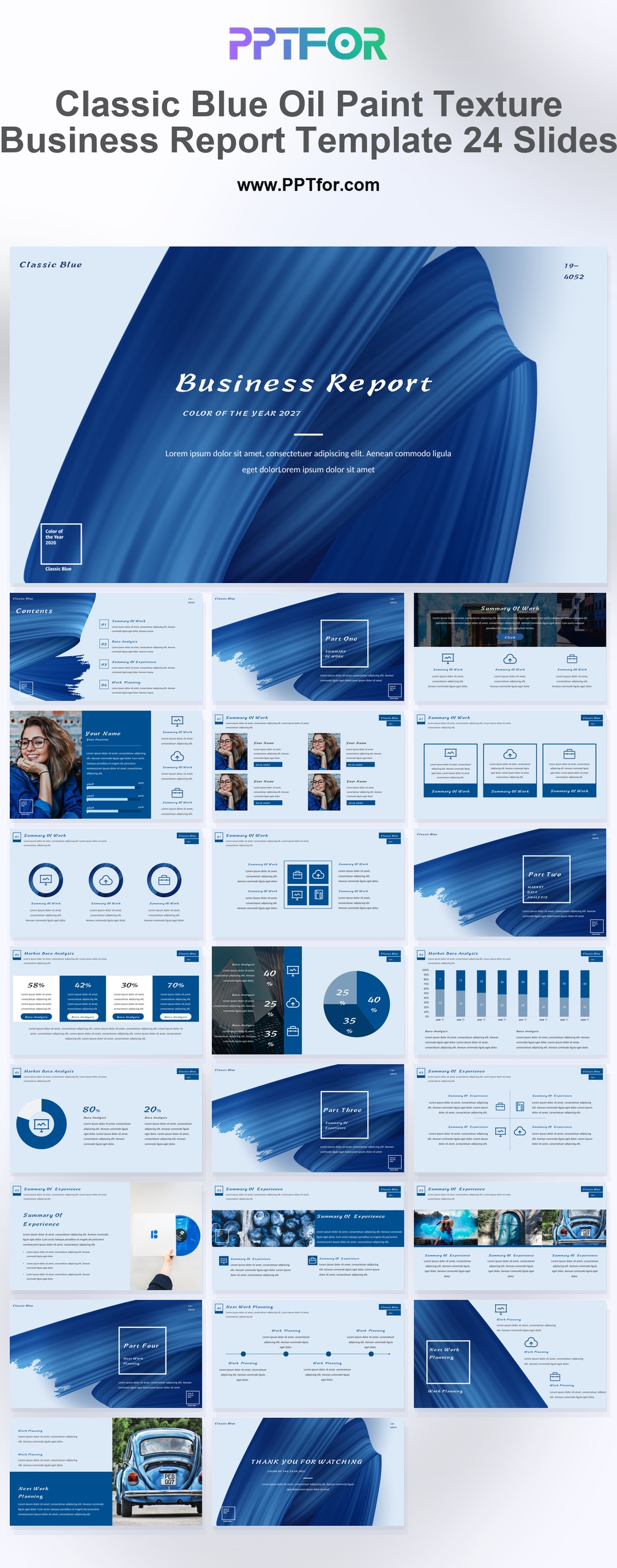
The Blue Oil Paint Business Report Template provides 24 slides with a brushstroke cover, report sections, charts, and a portfolio gallery. Use it to combine a work summary with examples of completed projects.
Visual elements include dynamic brushstrokes, thick oil paint textures, elegant white typography, clean card-style layouts, and image overlays.
- Compatibility: Microsoft PowerPoint. Check fonts, charts, and image placement after importing into Google Slides or Keynote.
- Aspect Ratio: 16:9 widescreen
- Graphics: Editable vector graphics
- Placeholders: Drag-and-Drop Placeholders
- Editability: Editable text, colors, fonts, and layouts
- Slide Count: 24 slides
Suggested Uses and Presentation Tasks
- Creative directors presenting business reviews – use oil paint textures, brushstroke transitions, and elegant typography to make annual findings feel more brand-led.
- Brand managers building style showcase decks – connect portfolio galleries, service layouts, image overlays, and color story content into a refined visual identity presentation.
- Senior consultants preparing high-end proposals – combine work summaries, market data charts, experience sections, and roadmap planning into a more distinctive client-facing report.
- Fashion stylists presenting creative direction – use Classic Blue styling, gallery slides, team profiles, and artistic layouts to frame seasonal or editorial concepts.
- Interior design teams packaging project updates – present services, portfolio work, next-step planning, and visual references with a textured report style.
- Luxury branding teams reviewing campaign outcomes – use bar and pie charts, service icons, and summary sections to connect performance indicators with brand perception.
- Creative agency owners preparing business reports – organize agenda content, team information, services, and thank-you slides into a report that feels considered and client-ready.
Frequently Asked Questions
When should I choose this template?
Choose this report when visual project work is as relevant as the metrics. Keep the brushstroke treatment for the presentation’s identity and use the chart layouts for the evidence behind the review.
What should I prepare before editing?
Prepare completed work, approved project images, performance figures, and lessons for the next period. Distinguish the team’s contribution from outside factors when describing results.
What layouts and visual sections are included in this business report deck?
The deck includes a bold brushstroke cover, contents agenda, four part transitions, work summary, team profile grid, service icon layouts, bar and pie charts, experience summary, roadmap planning, portfolio gallery, and Thank You slide.
How can I edit the template?
Edit the text, colors, and slide elements to match your presentation. Before updating a graphic, check whether it is a native chart, a grouped shape, or an image; the editing method differs.
 Get full access to premium PowerPoint templates at a limited-time price.Get Now