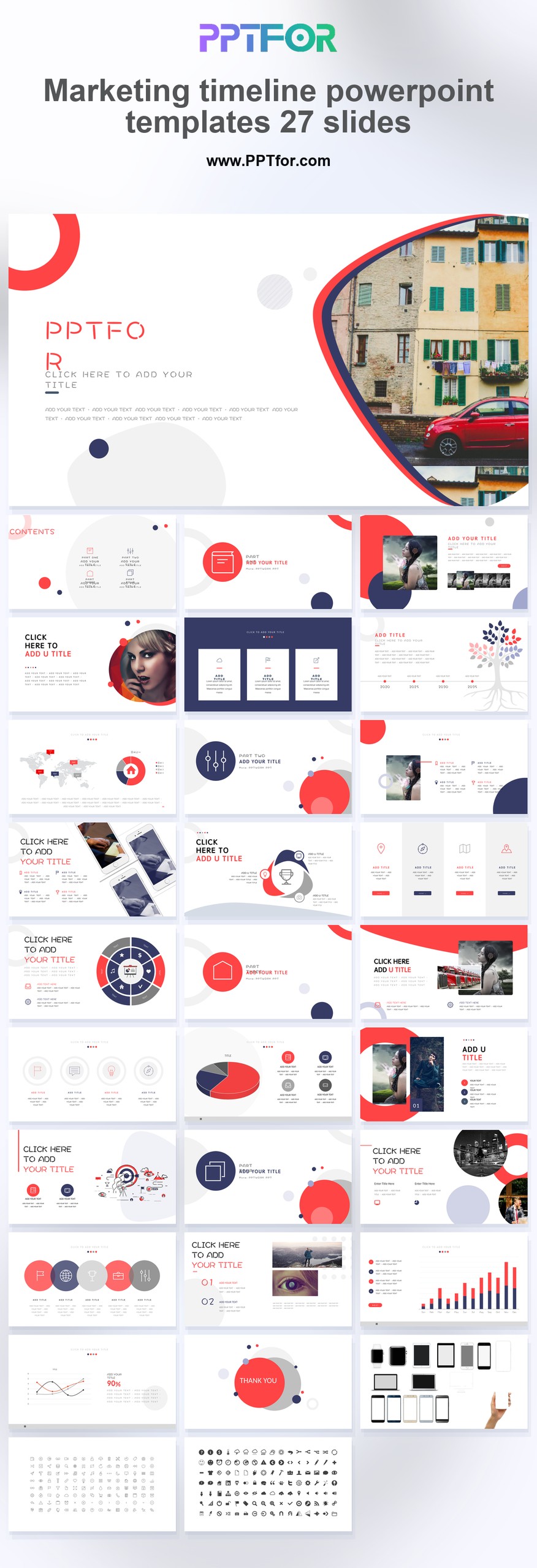
This Marketing timeline powerpoint templates 27 slides deck helps marketing teams present campaign optimization plans, customer acquisition stages, and market penetration goals with more confidence and less manual formatting. Its clean minimal style supports conversion funnel storytelling, sales enablement alignment, and more effective scheduling across launch calendars, channel rollouts, and performance reviews. Built for Microsoft PowerPoint, Google Slides, and Apple Keynote, it combines 100% Vector Graphics with Drag-and-Drop Placeholders and fully customizable slides, colors, fonts, and layouts so teams can adapt each timeline quickly. Choose this Marketing timeline powerpoint templates 27 slides deck today and organize your next campaign into a faster, clearer execution plan.
- Compatibility: Microsoft PowerPoint, Google Slides, Apple Keynote
- Aspect Ratio: 16:9 widescreen
- Graphics: 100% Vector Graphics
- Placeholders: Drag-and-Drop Placeholders
- Editability: Fully customizable slides, colors, fonts, and layouts
- Slide Count: 27 slides
What You Can Use This Marketing Timeline PowerPoint Templates 27 Slides Deck For
- Marketing managers planning campaign launches – map deadlines, channel rollouts, and conversion funnel stages in a clearer sequence that improves execution speed and team alignment.
- Brand teams organizing seasonal promotions – structure campaign optimization timelines with more visual clarity so stakeholders can review priorities faster.
- Demand generation specialists tracking customer acquisition phases – present lead-gen milestones and channel timing in one organized roadmap that supports better planning decisions.
- Sales and marketing leaders aligning go-to-market activity – connect sales enablement tasks, content drops, and launch checkpoints in a timeline that reduces communication gaps.
- Agency teams presenting client marketing calendars – turn scattered schedules into a polished planning deck that improves approval speed and perceived professionalism.
- Product marketers coordinating release support campaigns – outline launch messaging, asset delivery, and market penetration goals with a more disciplined project view.
- Performance teams reviewing channel execution windows – compare paid, owned, and social initiatives in a structured timeline that makes campaign pacing easier to evaluate.
Frequently Asked Questions
What is a marketing timeline PowerPoint template used for?
A marketing timeline PowerPoint template is used to organize campaign phases, launch schedules, and channel activity in a visual sequence that saves planning time and makes execution easier to explain.
How easy is it to customize this 27-slide marketing timeline deck?
It is easy to customize because the deck includes Drag-and-Drop Placeholders, 100% editable vector elements, and flexible layouts, so teams can update dates, milestones, and branding quickly without advanced design skills.
Can this marketing timeline template work in Google Slides and Keynote?
Yes, this template works with Microsoft PowerPoint, Google Slides, and Apple Keynote, giving teams a simple way to edit and present campaign timelines across major presentation platforms.
Why use a timeline presentation template instead of building one from scratch?
Using a timeline presentation template saves substantial setup time, keeps planning visually consistent, and gives marketing teams a fully editable structure for presenting deadlines, milestones, and campaign flow more professionally.
Reviews
1 review
PowerPoint, Google Slides,
Yes, this template works with Microsoft PowerPoint, Google Slides, and Apple Keynote, giving teams a simple way to edit and present campaign timelines across major presentation platforms.
Thank you for your feedback.
4 of 8 people found this review helpful.
Write a Review
$15
$
- Price is in US dollars and excludes tax
- Size:16x9
- PowerPoint MacOffice 365 Google Slides
- 100% editable
- What you see is what you get This is a secure SSL encrypted payment.

- Tags Marketing Sales Timeline