Get full access to premium PowerPoint templates at a limited-time price.Get Now
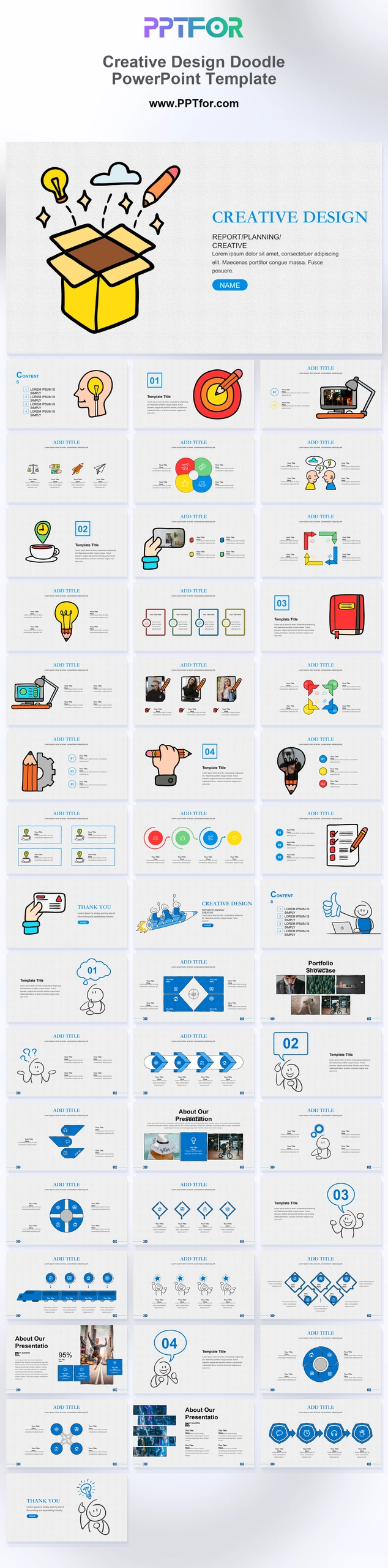
The Creative Design Doodle PowerPoint Template offers 45 slides with sketch-style illustrations, blue headings, and light grid backgrounds. Portfolio pages, diagrams, and chapter dividers support a creative proposal or visual planning session.
Choose this doodle style for presenting a design direction or discussing work in progress. Use portfolio examples to make the proposal concrete, and distinguish exploratory concepts from approved deliverables.
Prepare the brief, selected work examples, design rationale, and review questions. Use images you can share and label drafts so reviewers understand the stage of the work.
Use the sketch-style sections to introduce the design direction, then show the actual work in the portfolio layouts. Label concepts as drafts or approved outputs and state what feedback is needed.
The preview shows a hand drawn doodle style with clean blue headings, light backgrounds, sketch icons, and bright accent colors. The result feels playful while still being organized.
Yes. The preview includes portfolio showcase layouts with image blocks, making it suitable for displaying selected creative projects, visuals, or presentation samples.
Yes. The visible slides include circular diagrams, timeline layouts, numbered sections, funnel style graphics, and card based process layouts for organizing steps or ideas.

Get full access to our entire collection of premium PPT templates for one simple price.
Forget about complex tools or technical skills—just choose, edit, and download.