Avatar

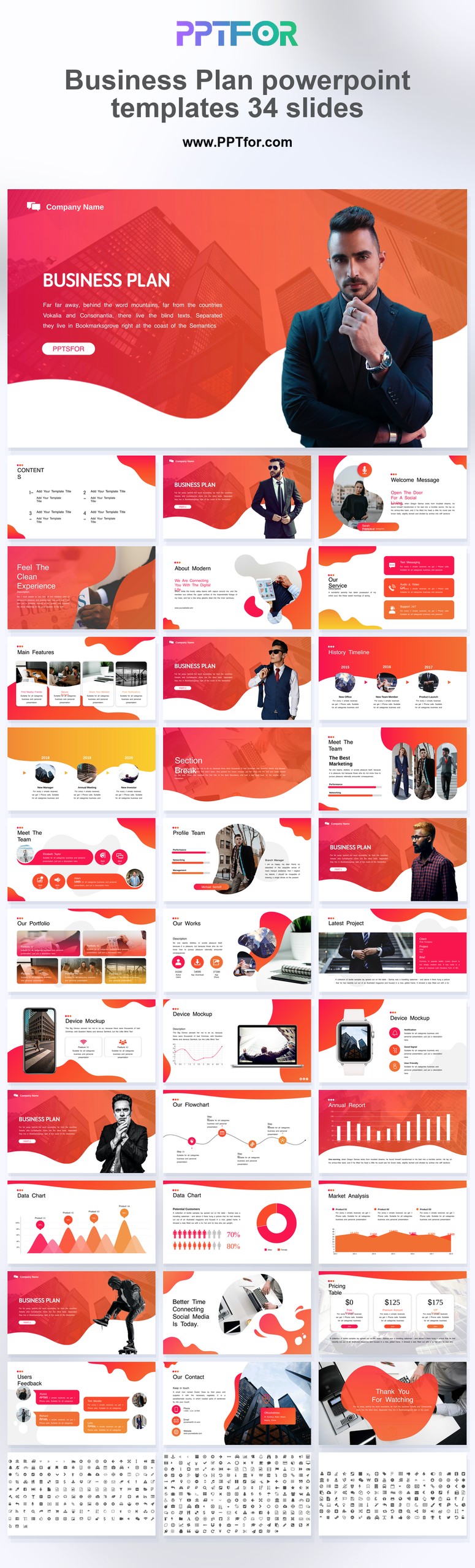
Business Plan PowerPoint Template 34 Slides

by PPTFOR Editorial Team in Business & Corporate

Business Plan PowerPoint Template 34 Slides

The Business Plan PowerPoint Template provides 34 slides for presenting a proposed business direction. Adapt the layouts to connect customer needs, market evidence, operating choices, and the resources required to execute the plan.

  • Compatibility: Microsoft PowerPoint. Check fonts, charts, and image placement after importing into Google Slides or Keynote.
  • Aspect Ratio: 16:9 widescreen
  • Graphics: Editable vector graphics
  • Placeholders: Drag-and-Drop Placeholders
  • Editability: Editable text, colors, fonts, and layouts
  • Slide Count: 34 slides

Suggested Content to Add

  • Business objective – define the outcome and the decision needed from the audience.
  • Customer and market – show the target segment and evidence of demand.
  • Offer and positioning – explain how the offer differs from the alternatives customers have.
  • Operating approach – identify the activities, people, and dependencies required for delivery.
  • Financial assumptions – label revenue, cost, and timing estimates separately from actual results.
  • Implementation – connect proposed resources to milestones and responsible owners.
  • Risks and validation – state the assumptions to test and what would trigger a change of plan.

Frequently Asked Questions

When should I choose this template?

Choose the 34-slide option when a planning review needs room for both the proposal and supporting analysis. For a short introductory meeting, select a smaller subset and retain detail for follow-up.

How can I edit the template?

Edit the text, colors, and slide elements to match your presentation. Before updating a graphic, check whether it is a native chart, a grouped shape, or an image; the editing method differs.

What should I check when importing into other presentation software?

Use PowerPoint for the PPTX workflow. If you import the file into Google Slides or Keynote, review fonts, chart labels, image crops, and spacing before presenting. Imported layouts may need adjustment.

What should I prepare before editing?

Gather the customer segment, market assumptions, operating milestones, cost estimates, and revenue assumptions. State which figures are historical and which are projections before presenting a financial outlook.



Post a Comment

$15

$

  • Price is in US dollars and excludes tax
  • Size:16x9
  • Microsoft PowerPoint, Google Slides, Apple Keynote, PowerPoint for Mac / Office 365, WPS Office
  • 100% editable
  • What you see is what you get
  • This is a secure SSL encrypted payment. Credit Card Certificate

Get all products for only $29!

Get full access to our entire collection of premium PPT templates for one simple price.
Forget about complex tools or technical skills—just choose, edit, and download.