Get full access to premium PowerPoint templates at a limited-time price.Get Now
A company profile PowerPoint template is an editable presentation deck used to introduce a business, explain what it does, show its services, present its team, and build trust with clients, investors, partners, or stakeholders. It helps companies turn brand information into a clear, professional presentation.
The best company profile templates do more than list facts about a business. They tell a simple story: who the company is, what problem it solves, what makes it credible, and why the audience should trust it.
If you need a ready-made Company Profile PowerPoint Template, choose an editable PPTX deck with company introduction slides, About Us pages, mission and vision layouts, services sections, team profiles, portfolio slides, timeline pages, case study layouts, and contact slides. A good company profile template should work for PowerPoint, Google Slides, client meetings, investor introductions, proposals, and corporate presentations.
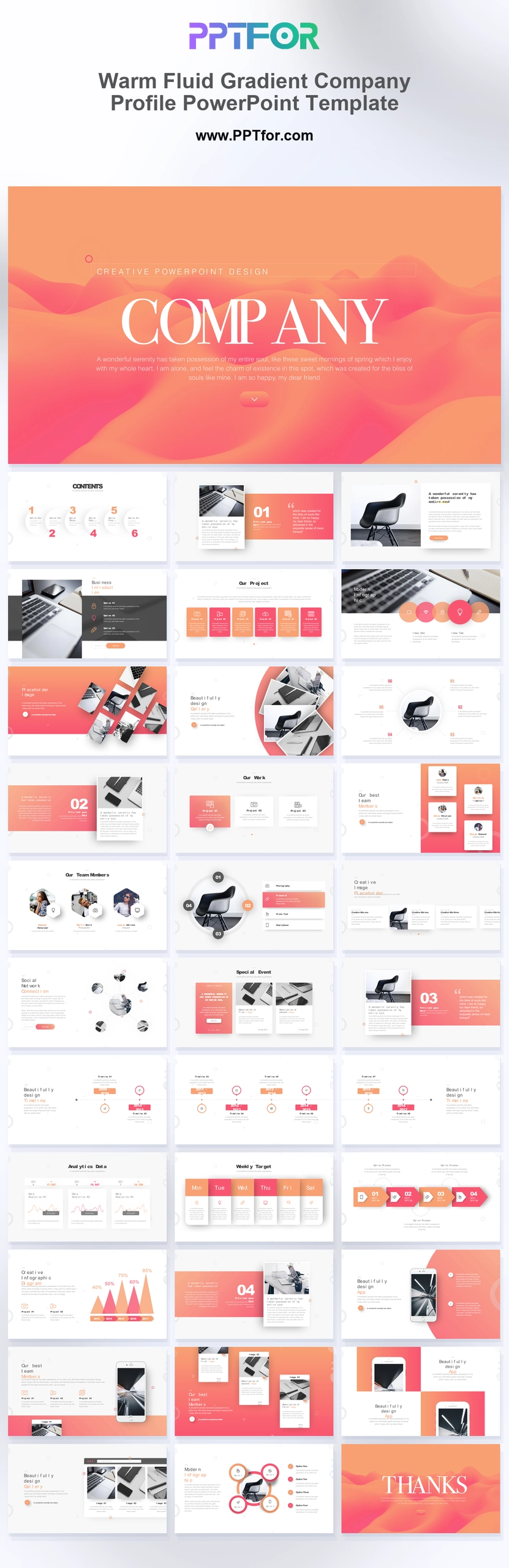
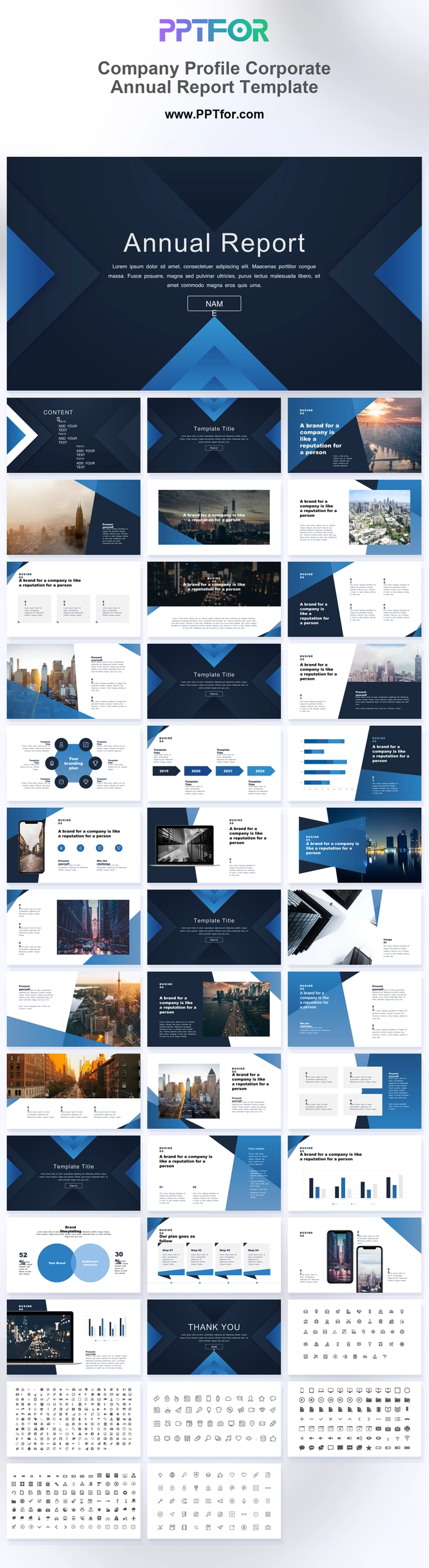
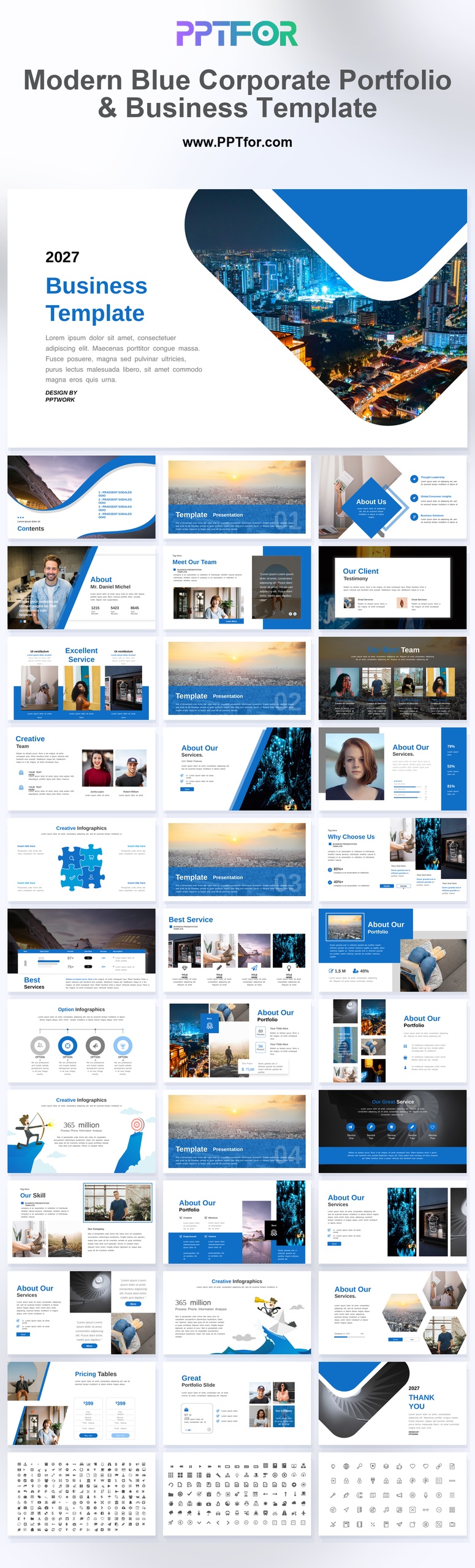
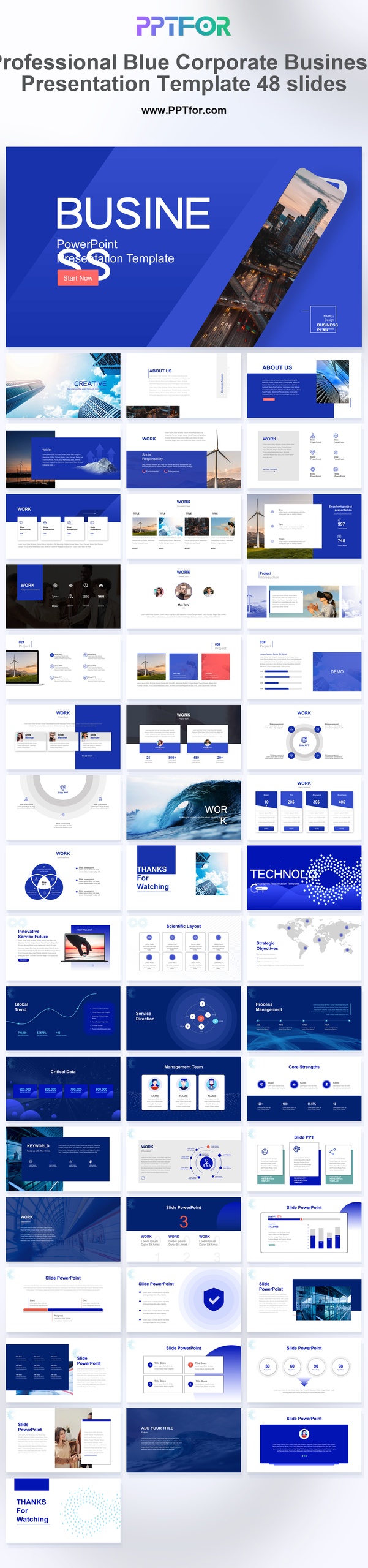
You can browse the full Business & Corporate PowerPoint Templates collection, or start with templates such as Warm Fluid Gradient Company Profile PowerPoint Template, Company Profile Corporate Annual Report Template, Modern Blue Corporate Portfolio & Business Template, and Professional Blue Corporate Business Presentation Template.
A strong company profile PowerPoint template should include a cover slide, company overview, About Us section, mission and vision, services or solutions, key facts, team profiles, timeline, portfolio or case studies, client logos, testimonials, and contact information. For client-facing decks, the presentation should focus on credibility, clarity, and business value.
| Slide | Purpose | Best For |
|---|---|---|
| Cover Slide | Introduces the company name, brand, and presentation topic | All company profile decks |
| Company Overview | Explains who the company is and what it does | Clients, investors, partners |
| Mission and Vision | Shows the company’s purpose, direction, and long-term goals | Corporate introductions and brand presentations |
| Services or Solutions | Explains what the company offers and how it helps customers | Sales, proposals, client meetings |
| Team Slide | Presents leadership, departments, or expert team members | Trust-building presentations |
| Portfolio or Case Studies | Shows proof of work, results, projects, or client success | Agencies, consultants, service providers |
| Contact Slide | Gives the audience a clear next step | Client decks, investor decks, partner introductions |
A company profile PowerPoint template is a pre-designed PPT or PPTX file created for presenting a company’s identity, capabilities, services, team, history, achievements, and contact information. It usually includes editable layouts for text, images, charts, icons, timelines, portfolios, and business facts.
Companies use company profile templates for sales meetings, investor introductions, partnership proposals, vendor applications, corporate websites, trade shows, onboarding, and internal brand presentations.
The purpose of a company profile presentation is to help the audience understand the business quickly. It should make the company look credible, organized, and easy to work with.
Company profile templates, company introduction templates, and corporate profile templates are closely related, but they are not always used in the same way. The difference is usually audience, depth, and business purpose.
| Template Type | Main Focus | Typical Audience |
|---|---|---|
| Company Profile PowerPoint Template | Company overview, services, team, portfolio, credibility, and contact details | Clients, partners, investors, vendors |
| Company Introduction PowerPoint Template | Short business introduction and basic brand information | New clients, prospects, internal teams |
| Corporate Profile PowerPoint Template | Formal company information, business history, leadership, and corporate structure | Enterprise clients, investors, institutions |
| Business Profile PPT Template | Business model, services, customers, market position, and differentiators | Small businesses, startups, agencies, consultants |
| Company Portfolio PowerPoint Template | Projects, case studies, work samples, and client results | Agencies, studios, consultants, service firms |
| About Us PowerPoint Template | Brand story, mission, values, people, and company background | Web presentations, onboarding, client introductions |
Use a company profile template when you need a complete business introduction. Use a company introduction template when the audience only needs a short overview. Use a portfolio template when proof of work matters more than company background.
Use this step-by-step process to turn a company profile PPT template into a professional business introduction. The goal is to make the company easy to understand and easy to trust.
If you are building a company profile presentation from scratch, use this structure as a practical starting point:
A good company profile PowerPoint template should be professional, editable, and easy to customize. It should help the company look credible without making the deck feel crowded or generic.
The right company profile template depends on the type of business, the audience, and the level of detail you need to show.
| Use Case | Best Template Style | Helpful PPTFOR Template |
|---|---|---|
| Modern company introduction | Creative corporate profile with strong visual sections | Warm Fluid Gradient Company Profile PowerPoint Template |
| Corporate profile and annual update | Formal business profile with company, report, and performance sections | Company Profile Corporate Annual Report Template |
| Business portfolio presentation | Portfolio-focused deck with project and business overview slides | Modern Blue Corporate Portfolio & Business Template |
| Professional corporate presentation | Clean business deck with broad corporate slide layouts | Professional Blue Corporate Business Presentation Template |
The best company profile deck depends on the business model. A consulting company, startup, agency, manufacturer, and SaaS company may need different slides.
| Business Type | Important Slides | Main Goal |
|---|---|---|
| Consulting Firm | Services, methodology, team, case studies, client logos | Build trust and show expertise |
| Startup | Company overview, problem, solution, market, team, traction | Introduce the business and support investor or partner conversations |
| Creative Agency | Portfolio, services, process, testimonials, project examples | Show creative capability and past work |
| Manufacturer | Facilities, production capacity, certifications, product lines, quality control | Prove operational capability and reliability |
| SaaS Company | Product overview, features, customers, metrics, integrations, support | Explain product value and business credibility |
| Corporate Enterprise | Leadership, global presence, business units, milestones, financial highlights | Present scale, stability, and strategic direction |
A PowerPoint company profile is best when the presentation needs to be edited, customized, or presented live. A PDF company profile is better when the document needs to be shared as a fixed file by email, website download, or proposal attachment.
| Format | Best Use | Limitation |
|---|---|---|
| PowerPoint Company Profile | Client meetings, live presentations, editable decks, sales conversations | May need exporting before email sharing |
| PDF Company Profile | Email attachments, website downloads, vendor submissions, fixed brochures | Harder to edit or customize quickly |
| Google Slides Company Profile | Cloud collaboration, team editing, remote presentations | Some PowerPoint fonts or effects may need adjustment |
| Website About Us Page | Public brand information and organic search visibility | Less suitable for tailored client presentations |
Many teams create the company profile in PowerPoint first, customize it for meetings, and then export a PDF version for sharing.
Many company profile presentations fail because they are too generic. A good company profile should show what makes the business credible, useful, and different.
If you want to improve your company profile and corporate presentation slides, these PPTFOR guides can help:
A company profile PowerPoint template is an editable presentation deck used to introduce a business, explain its services, show its team, highlight its portfolio, and present company information in a professional format.
A company profile presentation should include a cover slide, company overview, About Us section, mission and vision, services, team, timeline, portfolio, case studies, client logos, testimonials, and contact information.
A company introduction is usually shorter and gives a basic overview of the business. A company profile is more complete and may include services, history, team, portfolio, case studies, achievements, and contact details.
Yes. A company profile template can support client proposals if it includes company credibility, services, case studies, team expertise, project examples, and a clear next step.
Most company profile presentations work best with 10 to 20 slides. Short introductions can use fewer slides, while corporate or investor-facing profiles may need more detail.
Yes. Many PPT and PPTX company profile templates can be opened in Google Slides. Some fonts, animations, image effects, or advanced PowerPoint elements may need adjustment after import.
The best company profile template for a small business is simple, editable, and service-focused. It should include a clear company overview, services, team, portfolio or proof of work, testimonials, and contact information.
A Company Profile PowerPoint Template helps businesses introduce themselves clearly and professionally. The best templates combine company overview slides, About Us pages, services, team profiles, timelines, portfolio examples, case studies, and contact information in a format that is easy to edit and easy to present.
If your audience is a client, focus on trust and proof of work. If your audience is an investor, focus on scale, team, market, and traction. If your audience is a partner, focus on capabilities and fit. A strong company profile does not just describe the business. It gives the audience a reason to believe in it.
Browse the full company profile PowerPoint template collection, including the Company Profile PowerPoint Template, Warm Fluid Gradient Company Profile Template, and Company Profile Corporate Annual Report Template.




Get full access to our entire collection of premium PPT templates for one simple price.
Forget about complex tools or technical skills—just choose, edit, and download.