Get full access to premium PowerPoint templates at a limited-time price.Get Now
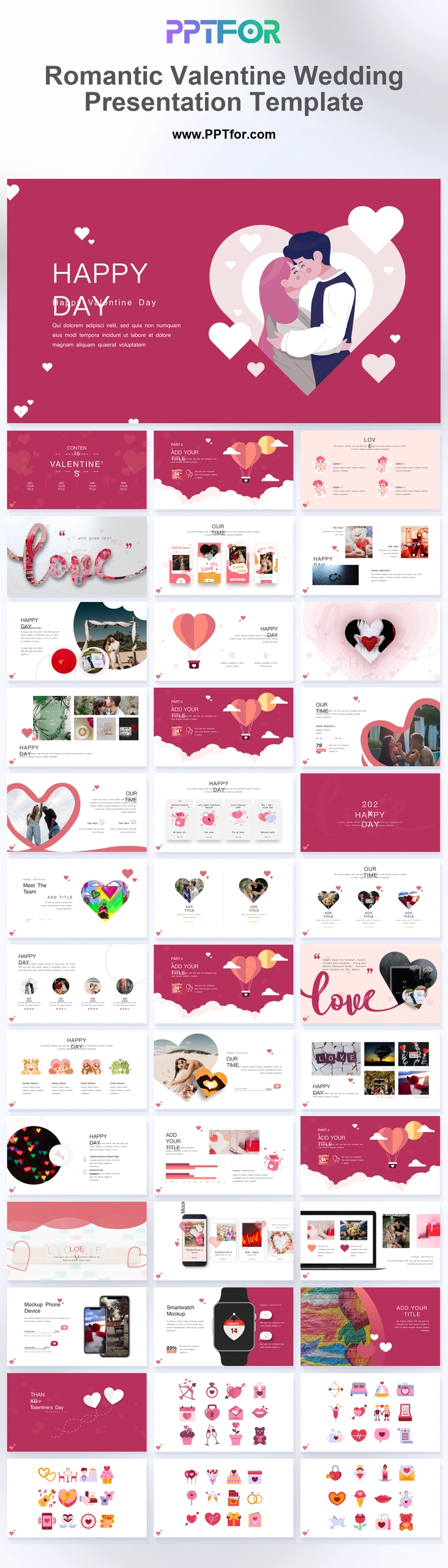
The Romantic Valentine Wedding Presentation Template provides 35 slides with photo frames, a romantic timeline, package layouts, and couple profiles. Adapt it for an event proposal, anniversary presentation, or a couple’s visual story.
Visual elements include heart-shaped image masks, handwritten calligraphy love script, polaroid-style photo frames, romantic flat icons, and soft pastel color blocks.
Choose this deck when photographs and a personal timeline are central to the presentation. For a planner’s proposal, use the package and schedule layouts to make the commercial details easy to compare.
Collect approved photographs, names, dates, and the order of events. For proposals, prepare service inclusions, prices, and scheduling assumptions before building the package comparison.
The deck includes a Love Story cover, romantic timeline, heart section dividers, couple profile, services and gift packages, duo team intro, mobile and watch mockups, pricing tables, engagement data, Spread Love map, Q&A, and closing heart slide.
Edit the text, colors, and slide elements to match your presentation. Before updating a graphic, check whether it is a native chart, a grouped shape, or an image; the editing method differs.

Get full access to our entire collection of premium PPT templates for one simple price.
Forget about complex tools or technical skills—just choose, edit, and download.